Creative Assets
Secondary CTA
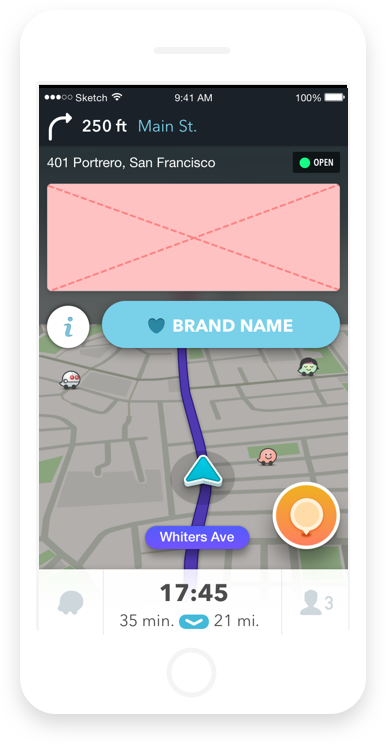
By default, this button is always 'Drive There' or 'Favorite Brand' depending on the primary CTA.
Brand Icon
152x112px
jpg or pngBrand Icon
152x112px
jpg or pngCall-To-Action
Options:
♥ + Brand Name
Save for Later
Save Offer
Drive There
Remind Me
Save Video
Change Voice
Download App
Brand Icon
152x112px
jpg or pngPremium Creative
608x240px
788x240px
jpg or pngInfo Button
The info button takes you to the preview screen.

Creative Assets
Branded Pin
The pin marks your location on the map. Tapping the pin or arrow reveals your creative along with more info about your location and several action buttons.
Zero-Speed Takeover
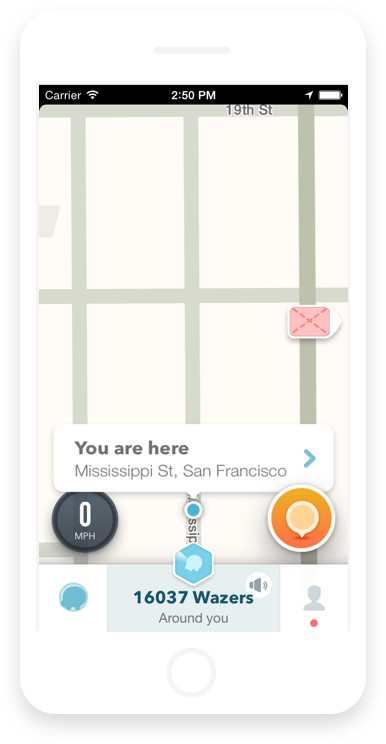
Takeovers are served once a driver comes to a complete stop.
Nearby Arrow
The arrow appears at the beginning of a session and indicates your location is nearby.
Promoted Search
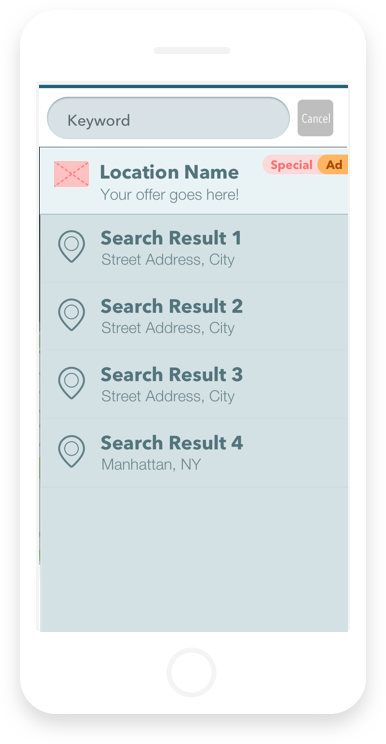
Your locations are eligible to show at the top of search results when users search for relevant terms.
Asset Checklist
Follow these guidelines to determine which assets are needed for your campaign:
-
Drive There
-
Favorite Brand
-
Remind Me
-
Call Now
-
Save for Later
-
Brand Icon
152x112px -
Brand Logo
690x550px -
Premium Creative
608x240px -
Premium Creative [Wide]
788x240px
-
Location Title
20 character max -
Mobile-Friendly URL
Redirects users from Preview screen or Inbox Message to your landing page -
Ad Copy / Offer Details
Unlimited characters 100-200 character recommended -
Phone Numbers
List of phone numbers by business location
-
Services
Options: Drive Thru, Parking for customers, Outdoor seating, Reservations, Delivery, Credit card payments, Take-out, Wheelchair accessibility, Wi-Fi, Valet Parking -
Short Search Description
22 character max -
Inbox Message Title
38 character max -
Inbox Message CTA
18 characters max -
Inbox Message Description
Unlimited characters 75 character recommended -
if using a Push Notification , please include a Reminder inbox Message Title/CTA/Description