Someone already did that, I did only minor changes in it 
Hi!
Is it possible to see the HNs in the end of the lines without open the HN editor?
Yes, I have already made a commitment to do it, but unfortunately no progress yet…
Can it be possible to detect HN overlaps as is found here? There are several in this case
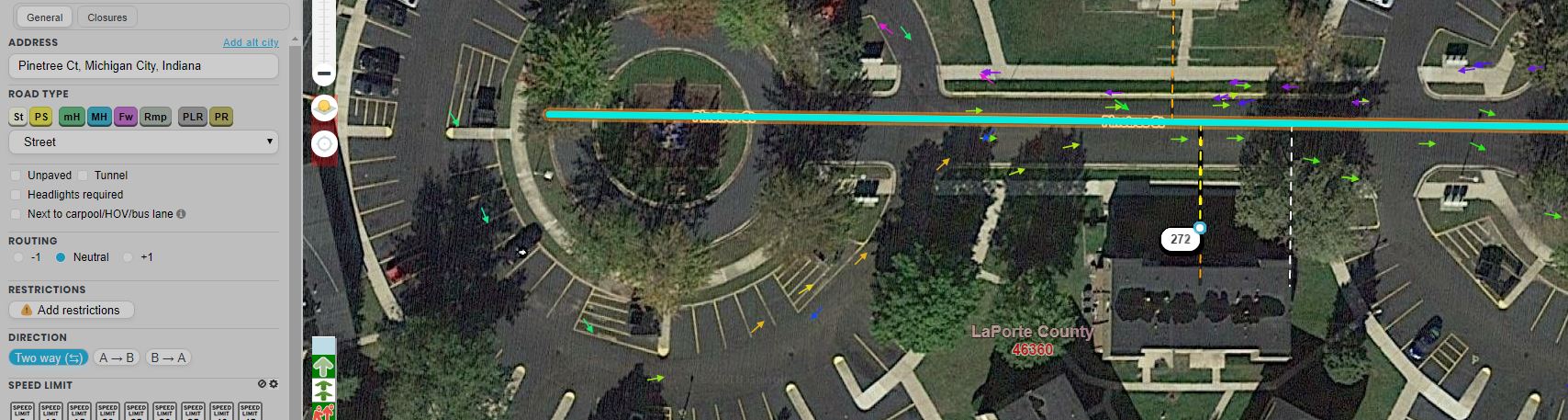
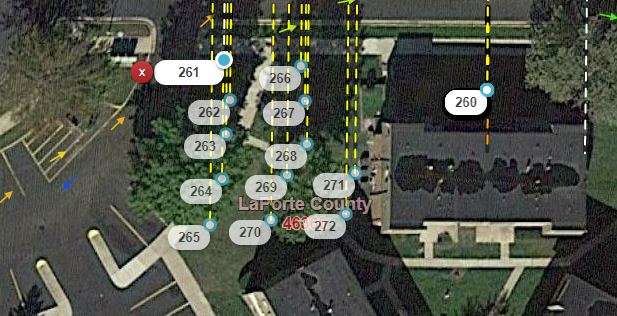
Not in planning 
Define overlap.
It probably refers to when they are stacked from a bad import.
Two (or more) HNs at precisely the same coordinates.
That could be OK too. For example in Czech Republic we have many corner houses with entrances from 2 streets that have 2 house numbers.
And i don’t want bring any necessary logic to visualisation script. Just saying…
And showing sample from upcoming function - show numbers without HN mode:
I hope there’s an easy button to turn that on and off. :shock: 
Yes, + zoom level 6+ or 7+ enough
This condition occurs by design virtually all the time in cul-de-sacs, so there will be a significant number of false positives.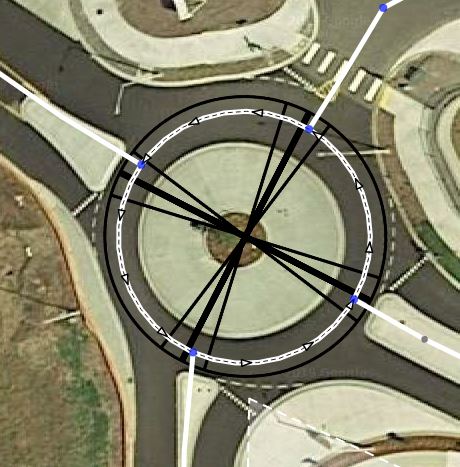
Is it not enough to visually notice when a bunch of attachment lines converge on a single point where they shouldn’t?
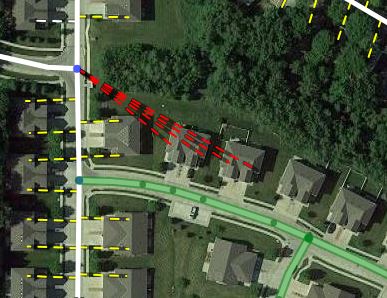
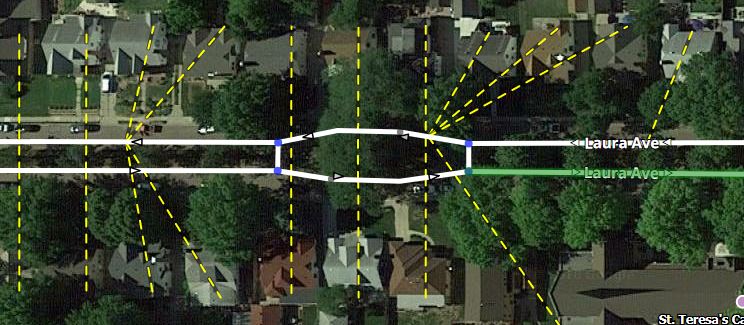
And as for the original request prompting this discussion - closely-spaced HNs that aren’t precisely stacked on top of each other - that can also exist by design when there are a bunch of street-facing units piled close together in real life, so even if some level of logic was developed to detect close-spaced HNs, there might be more false positives where nothing is wrong.
I added this in the (now defunct) HN Tool script and it is quite resource intensive.
When we will be able to see house numbers themselves? Please?
This condition occurs by design virtually all the time in cul-de-sacs, so there will be a significant number of false positives.(unavailable attachment: Capture.JPG)
No, what you have identified is multiple stop points at the same coordinates, not multiple HNs. Two different issues.
And to MajkiiTelini’s earlier point about houses on corners, I should have said “multiple HNs on the same segment at precisely the same coordinates.”
However, if identifying these overlaps is going to slow down the script, I fully understand, and can live without it.
Ah yes, I understand the difference now, thanks for the clarification!
There is only one correct answer this question
But you are lucky. Today’s soon is today
New version 0.6 with separate layer for numbers is out!
That is way cool. One possible issue. The script stays on all the time (both nav points and HNs), the layers option does nothing. (that I can tell)
Yes, I realized. You can download hotfixed 0.6.1.
Thanks, that update made the script that much better
Having the numbers available is fabulous, thank you!
However, they are really hard for me to read and I’m sure I won’t be the only one with old eyes that will complain about it. Configurable would be great, but at the least maybe make the numbers a darker black (they look like dark gray now) and bold? Or try a different font that might be clearer?
Thank you for all of your hard work on this script!